


Picture this: a simple meeting request spirals into a week-long email thread, just to find a time that works for everyone. The constant back and forth drains energy and disrupts focus, leaving teams frustrated and less productive.
If you’re tired of this endless loop, you’re not alone. Professionals spend hours each month wrangling calendars instead of collaborating. That’s why we’ve created this guide—to help you reduce scheduling back and forth in 2026.
Here, you’ll uncover the root causes of scheduling friction, discover modern tools, learn proven strategies, explore automation, and peek into future trends. Ready for a smoother scheduling experience? Let’s get started.
Why Scheduling Back and Forth Persists in 2026
Ever wonder why, even in 2026, it still feels like a marathon just to set up a simple meeting? The struggle to reduce scheduling back and forth remains a daily challenge for teams and agencies everywhere. Let's look at why this friction is so stubborn.

The Human Factor: Preferences and Availability
People work differently now. With remote and hybrid setups, some team members are early risers, while others are night owls. Add in global teams, and suddenly, finding a shared time slot gets tricky. These personal preferences create a puzzle that's hard to solve, even with the best intentions to reduce scheduling back and forth.
Imagine a marketing lead in London and a developer in Sydney. Their working hours barely overlap, so every meeting request starts another round of messages. It's no surprise that coordinating across time zones leads to delays and frustration.
Outdated Processes and Tools
Despite all the tech advances, many organizations still rely on manual scheduling methods. It's common to see endless email threads, outdated calendar systems, and no real-time availability sharing.
- Manual emails for every meeting request
- No integration between team calendars
- Lack of automated reminders
In fact, up to 40% of professionals still use these inefficient methods, according to the Calendly 2025 report. For practical tips on how to move beyond these old habits and streamline client meeting scheduling, check out Streamline client meeting scheduling.
Organizational Silos and Communication Barriers
Departments often use different platforms and calendars. Marketing might be on one system, sales on another. Without a centralized process, information slips through the cracks, making it even harder to reduce scheduling back and forth.
Picture this: sales schedules a client call, but marketing never sees the invite. The result? Missed updates and a lot of confusion. These silos slow teams down, forcing them to play catch-up.
Overloaded Calendars and Meeting Fatigue
As calendars fill up, open slots vanish. Employees are often double-booked or stretched thin, leading to declined invites and postponed decisions. This overload makes it nearly impossible to reduce scheduling back and forth, no matter how persistent you are.
Meeting fatigue is real. When people feel burnt out from too many meetings, they're likely to push back on new requests, causing even more back and forth.
Data Privacy and Security Concerns
Sharing full calendar details isn't always safe or allowed. Many companies set strict privacy rules, which means limited visibility for others. This caution, while necessary, can slow things down when you're trying to reduce scheduling back and forth.
Some teams hesitate to sync calendars or use third-party tools, worried about security. Without safe, centralized options, scheduling remains a manual headache.
The Cost of Inefficiency
All this friction adds up. The average professional spends 4.8 hours each month just scheduling meetings, according to Doodle's 2025 data. That's time that could be spent on real work.
| Source | Hours per Month | Financial Impact |
|---|---|---|
| Doodle 2025 | 4.8 | Missed opportunities, delays |
Every hour lost means delayed decisions and missed revenue. Until organizations fully address these root causes, the quest to reduce scheduling back and forth will continue.
Step-by-Step Strategies to Reduce Scheduling Back and Forth
Tired of the constant ping-pong of emails just to get one meeting on the calendar? If you're ready to reduce scheduling back and forth, these strategies can help you take control and simplify the process for your team.

Step 1: Audit Your Current Scheduling Workflow
Start by mapping out how meetings get scheduled today. Bring all stakeholders together to identify where delays and confusion occur. Maybe approvals slow things down, or certain people are out of sync.
By understanding these pain points, you can target exactly where to reduce scheduling back and forth. This clarity ensures your efforts are focused and effective.
Step 2: Standardize Meeting Types and Durations
Consistency is underrated. Create templates for common meetings, like weekly check-ins or project demos. Set default durations so no one has to negotiate every time.
These standards make it easier for everyone to understand expectations, saving valuable time and minimizing back and forth.
Step 3: Implement Shared Availability and Smart Calendars
Modern scheduling tools let teams share real-time availability while keeping private events hidden. Encourage transparency with privacy in mind.
When you implement these solutions, you immediately reduce scheduling back and forth, especially for remote or global teams juggling different time zones.
Step 4: Leverage Automated Scheduling Tools
There are platforms that let invitees pick from pre-approved slots, eliminating endless emails. Integrating automation can be a game changer.
For example, agencies can streamline manual coordination by exploring solutions like Automate client account setup, which demonstrates how automation can reduce repetitive scheduling steps.
Step 5: Establish Clear Communication Protocols
Set ground rules for scheduling requests. Ask team members to use informative subject lines and always propose two or three options.
If you want to reduce scheduling back and forth, concise and direct communication is essential. This helps prevent misunderstandings and wasted time.
Step 6: Foster a Culture of Flexibility
Encourage openness to asynchronous meetings or recorded updates, especially across time zones. Promote empathy for different work styles and personal schedules.
A flexible culture makes it easier to accommodate everyone without constant rescheduling.
Step 7: Regularly Review and Optimize Scheduling Practices
Collect feedback from your team about what's working and what isn't. Adjust your tools and processes as your organization evolves.
By making ongoing improvements, you continue to reduce scheduling back and forth, ensuring your workflow stays efficient as your team grows.
Essential Tools and Technologies for Seamless Scheduling in 2026
Choosing the right tools can make or break your efforts to reduce scheduling back and forth. In 2026, the landscape is filled with advanced platforms and smart features designed for productivity, not just calendar management.
Advanced Scheduling Platforms
Today’s top platforms, such as Calendly, Doodle, Google Calendar, and Microsoft Outlook, go far beyond basic event booking. They offer features like:
- AI-powered time suggestions that analyze team availability.
- Group polls to find the best time for everyone.
- Integration with video conferencing for instant meeting links.
These platforms help reduce scheduling back and forth by letting users quickly see open slots, propose multiple times, and confirm meetings with just a few clicks.
AI and Machine Learning Enhancements
Artificial intelligence is changing how we reduce scheduling back and forth. Modern systems learn your habits, predict your preferences, and suggest optimal times based on past behavior.
AI can even resolve conflicts automatically, so you don’t have to juggle calendars or send endless emails. For example, Zoom's AI-Powered Meeting Enhancements allow you to automate scheduling and avoid double bookings. This shift saves time and eliminates the need for manual coordination.
Integration with Collaboration Suites
Scheduling isn’t an isolated activity. Leading tools now sync with platforms like Slack, Teams, and Asana. This means notifications, reminders, and meeting invites show up right where your team works.
Centralized integration helps reduce scheduling back and forth by making all relevant information accessible in one place. When calendars, messages, and project updates are unified, you avoid miscommunication and missed meetings.
Mobile-First Scheduling Solutions
On-the-go coordination is essential for today’s flexible workforce. Mobile apps for scheduling tools bring instant notifications, confirmations, and calendar access to your pocket.
Employees can reduce scheduling back and forth by responding to invites, adjusting times, or confirming meetings from anywhere. Mobile accessibility also speeds up responses, so meetings get booked faster with less hassle.
Security and Privacy Considerations
With so much sensitive data in play, top scheduling tools prioritize data protection. Features often include:
- End-to-end encryption for all calendar data.
- Granular sharing permissions, so you control what’s visible.
- Compliance with regulations like GDPR.
These safeguards give teams confidence to share availability and collaborate without risking privacy or security.
How Productivity Platforms Like SmartMetrics Streamline Scheduling
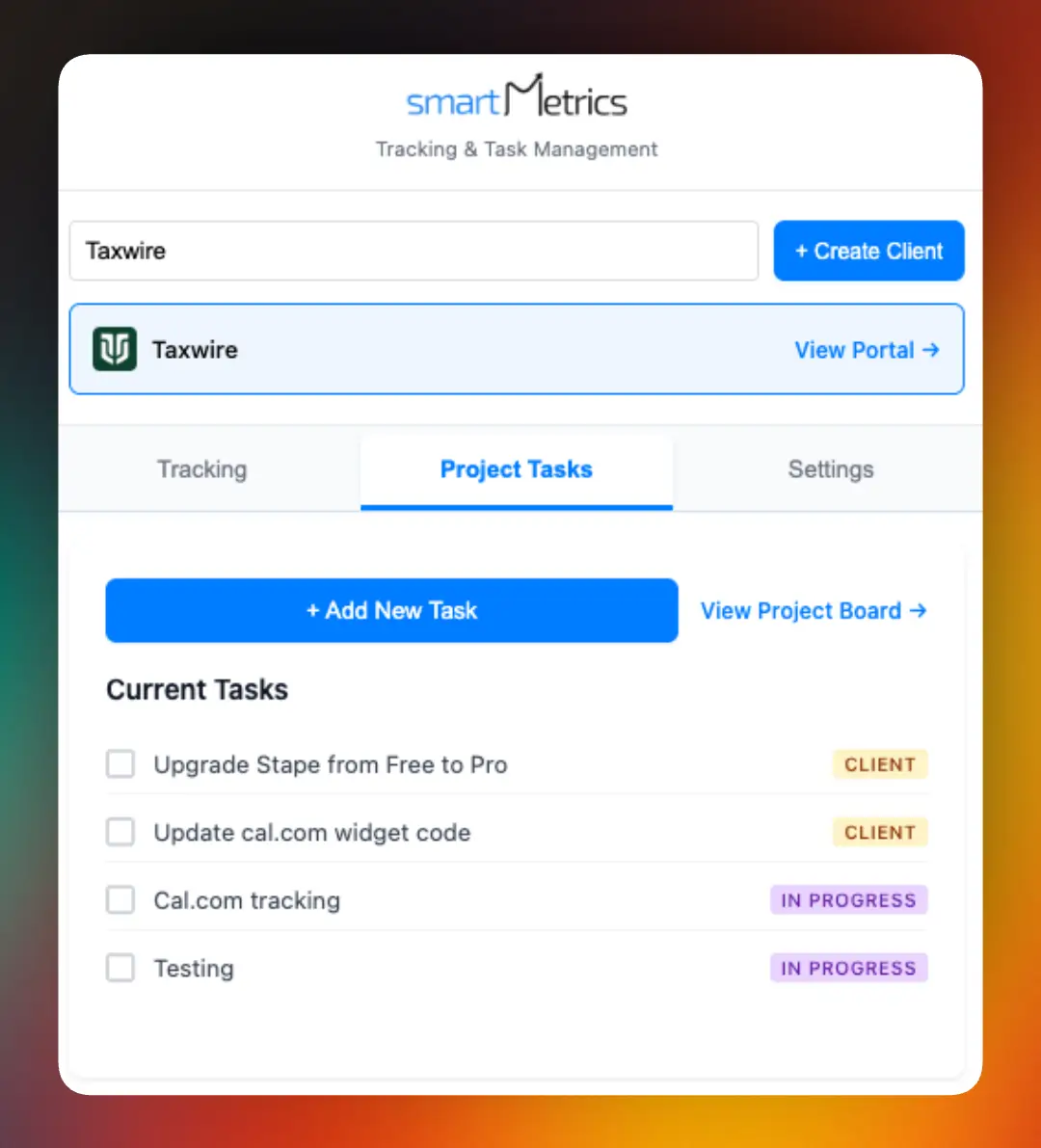
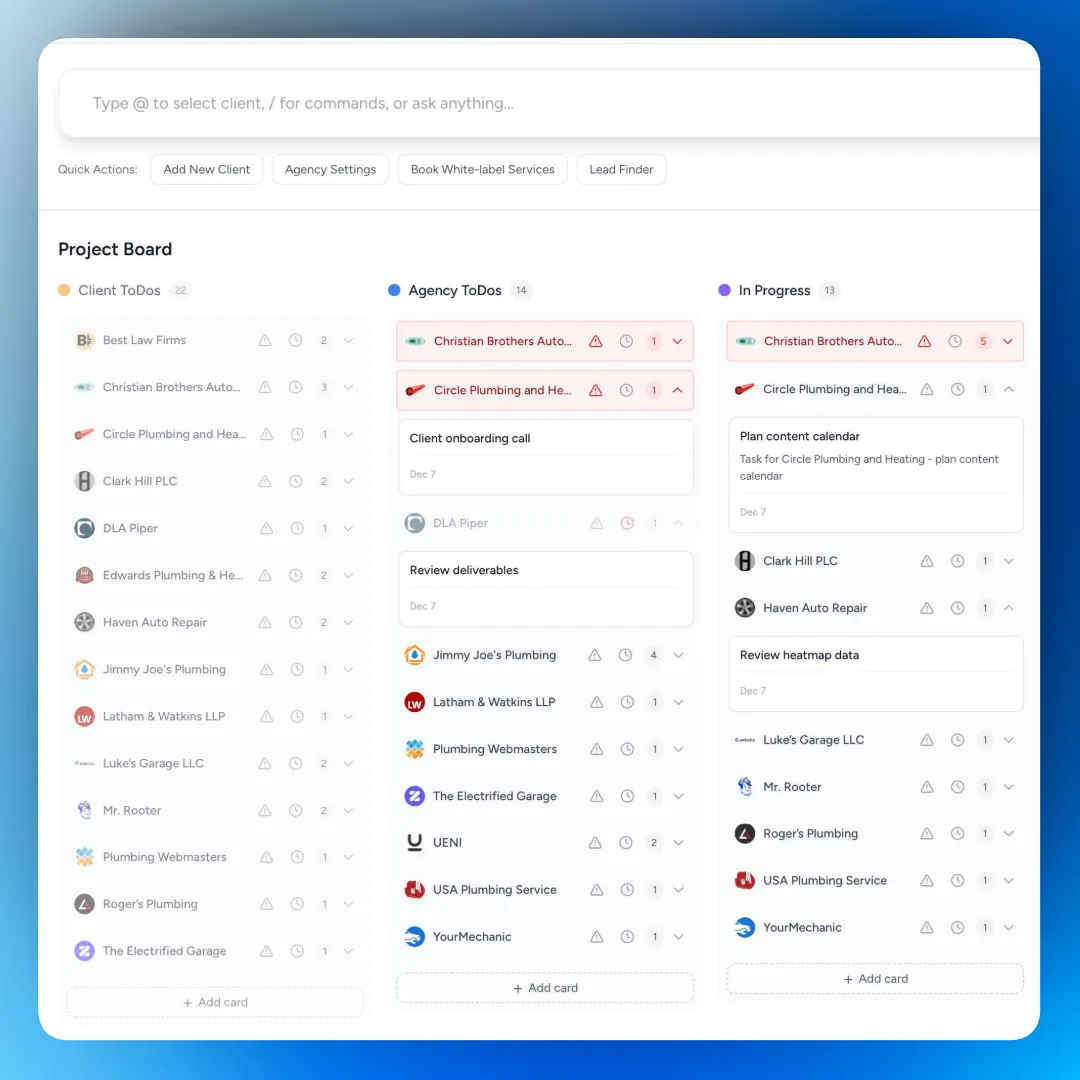
SmartMetrics brings everything together for agencies by offering real-time availability, automated workflows, and centralized collaboration. Agencies can reduce scheduling back and forth by integrating scheduling with project management and client communication.
Features like branded client portals and automated reminders help minimize manual coordination. Many agencies have found that onboarding and project kickoffs happen up to 10 times faster using SmartMetrics, making it a key player in seamless scheduling for 2026.
Best Practices for Agencies and Teams to Minimize Scheduling Friction
Tired of endless messages just to set up one meeting? If you want to reduce scheduling back and forth in your agency or team, adopting clear, actionable habits is a game changer. These best practices will help you create a more efficient, less stressful scheduling environment for everyone involved.

Centralize Scheduling Policies
Start by creating clear, documented guidelines for how meetings are scheduled. When everyone follows the same process, it’s much easier to reduce scheduling back and forth. Centralizing resources, like using centralized document sharing for agencies, helps teams stay aligned and limits confusion over where to find information.
Encourage all departments to use the same scheduling tools and follow the same steps. This way, there’s less room for miscommunication or missed invites.
Use Buffer Times and Meeting Limits
Protect your team from burnout by setting buffer slots between meetings. This small step gives people time to regroup and prepare, making meetings more productive.
Consider capping the number of meetings per day or week. When calendars aren’t overloaded, it’s easier to find open slots, which helps reduce scheduling back and forth for everyone.
Encourage Self-Service Scheduling
Empower clients and team members to book their own meetings using shared links or portals. Tools like shared workspace for agency clients make it simple for people to see open times and book what works for them.
Teams using self-service scheduling often notice fewer email chains and faster responses. This practice directly supports your mission to reduce scheduling back and forth.
Promote Asynchronous Communication
Not every update needs a live meeting. Use recorded video messages or shared documents to keep projects moving without the need for everyone to be present at the same time.
Asynchronous options allow you to reduce scheduling back and forth by letting people contribute when it suits their schedule, especially when working across time zones.
Train Teams on Effective Scheduling Etiquette
Run quick workshops or share tip sheets on how to propose meeting times, use scheduling tools, and respect colleagues’ time zones. Training makes everyone more confident and consistent.
When teams know the basics, it’s much easier to reduce scheduling back and forth and avoid unnecessary delays.
Track and Measure Scheduling Efficiency
Use analytics to see how much time your team spends arranging meetings and which practices work best. Tracking attendance rates and reschedules helps you spot patterns and improve over time.
Review this data regularly to keep reducing scheduling back and forth as your agency grows.
Foster a Culture of Respect for Time
Leadership should lead by example, always starting and ending meetings on time. Celebrate team members who honor the schedule and minimize last-minute changes.
A culture that values time will naturally reduce scheduling back and forth, making your agency more productive and less stressed.
The Future of Scheduling: Trends and Predictions for 2026 and Beyond
Picture this: in 2026, we finally have the tools to reduce scheduling back and forth in ways that felt impossible just a few years ago. Technology is pushing the boundaries, and organizations are eager to make meetings less of a headache. So, what’s next for scheduling? Let’s look ahead at the trends and innovations shaping the future.
Rise of AI-Powered Scheduling Assistants
AI-powered assistants are transforming how we reduce scheduling back and forth. These digital helpers analyze calendars, preferences, and even work patterns to propose meeting times that suit everyone. They can learn from past behavior, resolve conflicts instantly, and anticipate needs before you even ask. Research on iScheduler: AI-Driven Scheduling Optimization shows how reinforcement learning can streamline large-scale scheduling, making the process smarter and faster.
Increased Integration and Automation
In the near future, you’ll be able to reduce scheduling back and forth by integrating all your tools. Imagine one-click scheduling from any workflow, whether you’re in Slack, Teams, or your project management app. Automation will handle invites, reminders, and follow-ups, ensuring nothing slips through the cracks. This level of seamless integration is key for teams working across different platforms and time zones.
Personalized Scheduling Experiences
No two people work exactly the same way, and the next wave of scheduling tools will reflect that. Systems will adapt to your habits—suggesting optimal meeting slots based on when you’re most productive or least interrupted. These personalized experiences will help reduce stress and make it easier to reduce scheduling back and forth for everyone involved.
Voice and Conversational Scheduling Interfaces
Voice commands and conversational interfaces are becoming more common in the workplace. Instead of typing out a dozen emails, you’ll soon be able to say, “Schedule a meeting with the team next week,” and your assistant will handle the rest. Chatbots will also play a larger role, making it simple to coordinate on the go without missing a beat.
Greater Emphasis on Wellbeing and Work-Life Balance
Future scheduling tools will be designed with wellbeing in mind. Features that protect personal time, encourage breaks, and prevent meeting overload are on the rise. Analytics will help you see where your time goes and suggest changes to reduce scheduling back and forth, creating healthier work habits and more balanced schedules.
Data-Driven Decision Making
Advanced analytics will become essential for optimizing how teams schedule and meet. Organizations will use real-time data to spot bottlenecks, track attendance, and measure the true cost of inefficient scheduling. This data-driven approach empowers leaders to refine processes and make smarter, more informed decisions.
Potential Challenges
Of course, there are hurdles to overcome. As we rely more on automation, it’s vital not to lose the human touch that builds relationships and trust. Accessibility and inclusivity must be prioritized so that everyone can benefit from these advances. The challenge will be striking the right balance between efficiency and genuine connection.
After seeing how much time we all lose to endless scheduling emails and missed connections, it’s clear that a smarter approach can make a real difference. With tools like SmartMetrics, you can centralize your workflow, automate scheduling, and give your agency more time to focus on what matters most—delivering results for your clients. Imagine cutting onboarding times and starting projects faster, all while reducing the usual back and forth. If you’re ready to see how streamlined scheduling feels in action, why not Get Started for Free?



 Gray Digital Group
 Blitzy
 PermitFlow
 Dj Haer Jr

