

Picture this: your agency team is stuck wrestling with endless spreadsheets, manually copying client data from emails and forms into your systems. Mistakes slip in, hours vanish, and frustration mounts. In 2026, agencies that automate client data imports will leave manual processes behind and gain a real edge.
This article is your practical guide to ditching the old way. You’ll find step-by-step instructions to automate client data imports, boost accuracy, and reclaim your team’s time. We’ll cover the benefits of automation, common challenges, how to start, the best tools, and how to keep your process future-ready. Ready to transform your workflow? Let’s dive in.
Why Automate Client Data Imports?
Picture this: your team spends hours every week manually entering client data, double-checking spreadsheets, and fixing tiny mistakes that slip through. Not only is this exhausting, but it leaves little room for innovation or strategic work. In a world where agencies are judged on speed, accuracy, and client experience, sticking with manual methods can put you a step behind. That's why it's critical to automate client data imports and free your team to focus on what really matters.

The High Cost of Manual Data Handling
Manual client data handling drains time, increases costs, and often leads to errors. Agencies can spend five or more hours each week just importing client information. Each repetitive task raises the risk of mistakes. In fact, studies show that manual processes can cause error rates of up to 3% per record. According to Manual data entry error rates, these small errors can snowball into inconsistent records and unhappy clients. Over time, team morale drops as frustration and burnout set in. These hidden costs make it clear why so many agencies are seeking to automate client data imports.
Core Benefits of Automation
When you automate client data imports, you gain back valuable hours week after week. Automation can slash import times by as much as 80 percent, turning a task that once took hours into one that takes minutes. The result? Fewer mistakes and higher data reliability. Automated workflows are also highly scalable, so your team can handle more clients without extra stress. The process becomes repeatable and predictable, which means fewer surprises and better compliance with privacy rules. These advantages add up quickly, making automation a smart investment.
Real-World Results and Industry Trends
Industry data suggests that 70 percent of agencies plan to increase their automation budgets by 2026. Agencies that automate client data imports see onboarding times drop by half, allowing them to impress clients from the start. Fast, transparent service is now the norm, not the exception. As more agencies adopt automation, those who lag behind risk losing clients to competitors who can deliver faster and more accurately. Staying ahead means embracing tools that automate client data imports and keep your agency agile.
Common Challenges and Misconceptions
Some worry that to automate client data imports, they'll need a huge budget or a team of developers. Others fear security risks or think these solutions are only for big agencies. In reality, automation platforms are more accessible and secure than ever, making them a fit for agencies of any size.
Mapping Your Client Data Import Workflow
Before you can automate client data imports, you need a clear map of how information flows into your agency. Mapping your workflow helps you spot gaps, reduce errors, and set the stage for automation. Let’s break down the process into four essential steps.

Identifying Key Data Sources
Start by listing every way client data enters your agency. Common sources include CRM systems like HubSpot or Salesforce, spreadsheets, client portals, and even email attachments. Each source has its own structure and quirks, so cataloging them is vital.
Think about structured data, like CSV files, versus unstructured data such as free-text emails. Knowing what you’re dealing with helps you pick the right automation strategy. For example, integrating your CRM with project management tools can instantly move client details into workflows.
If you want practical tips and resources to streamline this step, check out Streamlining agency data imports. This can give you a head start as you automate client data imports.
Understanding Your Current Process
Take a close look at how you currently handle client data. Document every step, from when a client sends information to when it’s entered into your systems. Where are the manual touchpoints? Where do things slow down?
Using process mapping tools can make these steps visible. For instance, some agencies discover a seven-step manual process, with multiple handoffs that introduce risk. By laying it all out, you’ll see exactly where to automate client data imports for the biggest impact.
Setting Automation Goals and KPIs
Next, define what success looks like for your agency. Is it faster turnaround times, fewer errors, or happier clients? Set clear KPIs, like time spent per import, error rates, and the number of manual interventions.
Align these goals with your broader business objectives. If your agency wants to scale, automation should support that growth. Make sure stakeholders agree on targets so everyone’s moving in the same direction as you automate client data imports.
Preparing Data for Automation
Finally, get your data in shape for automation. Standardize formats, whether you’re dealing with CSV files or API endpoints. Take time to clean and validate legacy data—old errors can cause new headaches.
Don’t forget compliance. Regulations like GDPR and CCPA mean you must handle client data with care. Preparing now ensures your automation runs smoothly and keeps you in line with privacy laws.
Step-by-Step Guide to Automating Client Data Imports
Ready to transform how you handle client data? Let’s break down exactly how to automate client data imports so your agency can save time, boost accuracy, and scale with confidence. Here’s a practical walkthrough, making sure no step is overlooked.

Step 1: Choose the Right Automation Tools
The first step to automate client data imports is picking the right tools for your agency’s needs. Look for solutions that play nicely with your existing tech stack and can grow with you. Compatibility matters, especially if you’re juggling multiple CRMs, project management platforms, or cloud storage systems.
Consider these factors:
- Ease of use: Will your team need weeks of training, or is it intuitive?
- Scalability: Can it handle more clients and data as you grow?
- Support: Is help available when you hit a snag?
- Security: Are there robust certifications and data protections in place?
Popular options include Zapier, Make (formerly Integromat), and native CRM integrations. For agencies with complex workflows, custom scripts or specialized platforms might be necessary. Always weigh the pricing models against your projected usage to avoid surprises down the line.
Step 2: Integrate Data Sources and Destinations
Now, connect the dots between all your data sources and where that data needs to land. This step is where you’ll really start to automate client data imports, reducing manual uploads and minimizing risk of error.
You might be linking CRMs, cloud drives, email attachments, or project management tools. APIs are the backbone here, making seamless data transfer possible and future-proofing your workflow. For example, consider automating the import of CSV files from Google Drive straight into Asana with a scheduled trigger.
Authentication and permission settings are crucial. Make sure only the right people and systems can access sensitive data. If you want to dive deeper into how APIs streamline this process, check out the API integration features for agencies offered by SmartMetrics.
Step 3: Configure Import Rules and Triggers
With your connections in place, it’s time to set up the rules and triggers that drive automation. Define exactly what should happen and when. For instance, a new client form submission could automatically start the import process.
Map out data fields so information lands in the right place. Set up transformation rules to clean or reformat data as it moves. Duplicate management and error handling are also important—decide if duplicates should be merged, flagged, or rejected.
Here’s a simple example in pseudo-code:
if new_client_form_submitted:
    import_data_to_CRM()
    notify_team()
Automate client data imports with clear, logical rules to keep things running smoothly.
Step 4: Test and Monitor the Automated Workflow
Before you roll out your new workflow to the whole team, always test with sample data. This ensures that your automation does exactly what you expect and nothing slips through the cracks.
Monitor for errors or exceptions. Use system logs, notifications, or dashboards to catch issues early. Iterative improvement is key: after the first round of testing, refine your rules based on real feedback and observed results.
Regular monitoring helps you maintain control and confidence as you automate client data imports. The goal is a reliable process that frees up your team, not one that creates new headaches.
Step 5: Train Your Team and Document the Process
Even the best automation won’t succeed without team buy-in. Develop standard operating procedures (SOPs) and training materials so everyone knows their role in the new process.
Assign specific people to oversee automation, handle troubleshooting, and gather feedback for ongoing improvement. Document everything, from data mapping to error resolution steps, so knowledge isn’t lost if team members change.
A well-trained team will make sure your new workflow delivers results and keeps evolving alongside your agency’s needs.
Best Tools and Platforms for Automated Data Imports
Choosing the right platform to automate client data imports is a game-changer for agencies. The right tools can mean the difference between hours of frustration and a smooth, efficient workflow. With so many options, it's worth taking a close look at what makes each solution stand out for agencies in 2026.
Comparative Overview of Leading Solutions
When you set out to automate client data imports, you'll quickly notice some platforms are more agency-friendly than others. Here's a quick comparison of popular choices:
| Platform | Notable Features | Pricing Model | Support |
|---|---|---|---|
| Zapier | Drag-and-drop, templates | Tiered subscription | Email, chat |
| Make (Integromat) | Visual scenarios, APIs | Usage-based | Community, chat |
| Workato | Enterprise-grade, AI, audit | Custom pricing | Dedicated |
| CRM Integrations | Native, seamless | Often included | Vendor-based |
What sets these apart is how they help automate client data imports at scale. Zapier and Make are great for getting started, while Workato and native CRM tools offer more control and compliance. Always check for scalability and support before you decide.
Specialized Tools for Agencies
While general automation platforms are useful, agencies often need features like multi-client management and branded portals. Some providers focus on these needs—SmartMetrics, for example, is designed for agencies that want to automate client data imports without sacrificing flexibility.
Features to look for include:
- Support for both API and CSV imports
- Branded client dashboards
- Collaboration tools for teams and clients
If you're looking for tailored solutions, consider exploring custom integrations for client data. These can help agencies connect unique client systems and streamline complex workflows, making automation more accessible.
Platform Selection Checklist
Before you commit to a platform to automate client data imports, ask yourself:
- Does it offer robust security and compliance features?
- Are audit trails and user access controls included?
- How easy is it to integrate with your existing stack?
- What are the limits on data volume or integrations?
- Is there a trial period or proof of concept?
For agencies facing strict regulatory requirements, tools that offer audit logging and compliance tools are a must. Take time to collect user feedback and evaluate support SLAs before making a final decision.
SmartMetrics: Streamlining Agency Data Imports
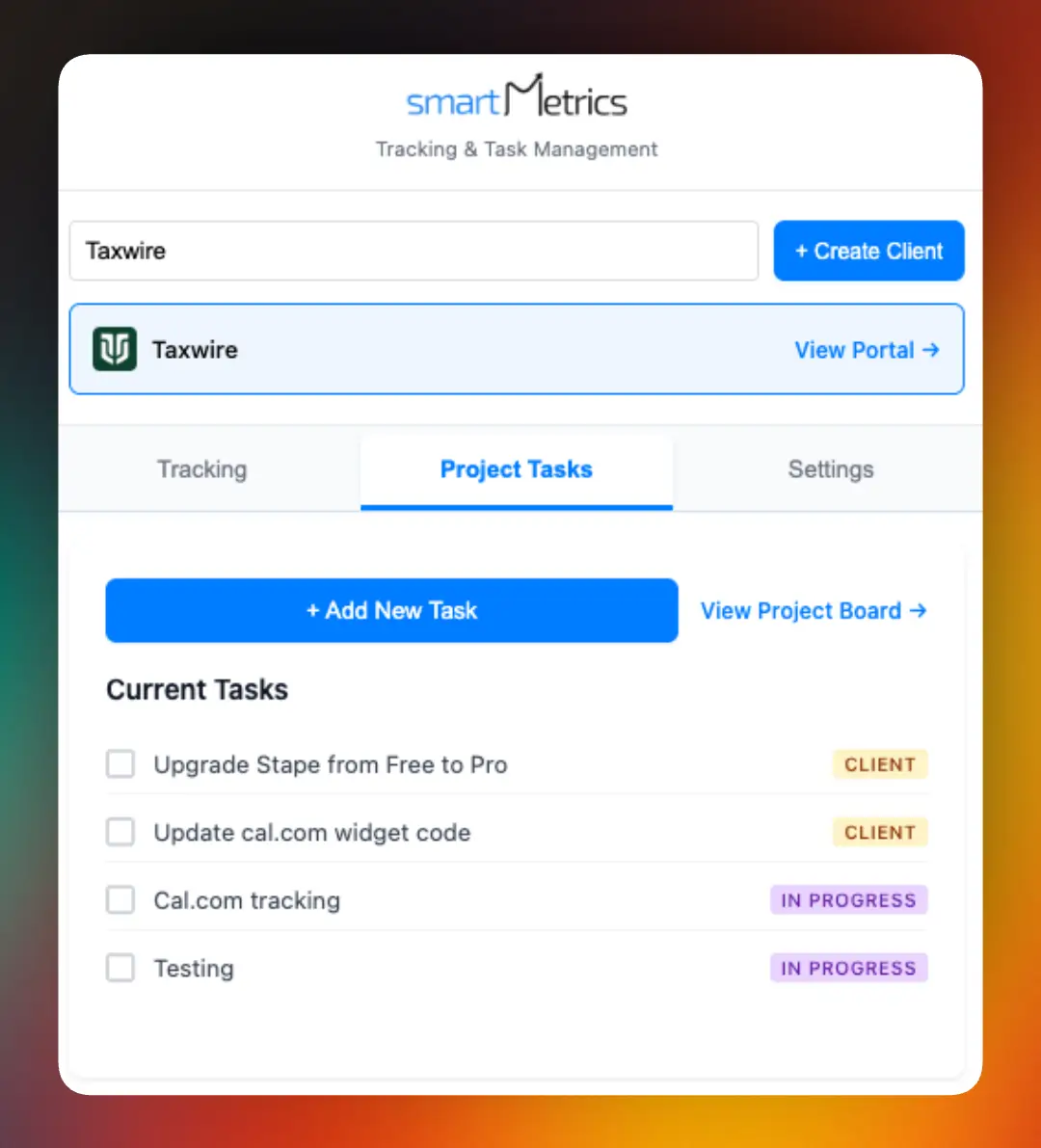
SmartMetrics gives agencies a dedicated platform to automate client data imports with ease. Whether you're handling API feeds or CSV files, the system brings everything into one branded client portal.

Key features include instant onboarding, real-time client health analytics, and centralized project management. The result is less manual work, faster onboarding, and a smoother client experience. Agencies looking to stand out should consider SmartMetrics for its focus on both automation and user experience.
Future-Proofing Your Automated Import Process
Staying ahead in agency operations means thinking beyond today's challenges. As you automate client data imports, it's essential to build a process that's ready for the future. Let's break down what you need to consider to keep your workflow resilient, secure, and scalable for years to come.
Adapting to Evolving Data Sources and Formats
The digital landscape is always changing. New client platforms, CRM systems, and data formats emerge each year. To future-proof how you automate client data imports, prioritize flexibility. Choose tools that support a wide range of integrations and API-driven workflows.
For example, if a client updates their CRM export structure or moves to a new platform, your automation should adapt without major rework. The rapid growth in automation, as highlighted in the Robotic Process Automation market growth, signals that agencies must be ready for shifting tech environments. Modular automation lets you plug in new data sources or tweak formats as needed, keeping your process agile.
Ensuring Security and Compliance
Security and privacy are non-negotiable when you automate client data imports. Every workflow should incorporate strong encryption, user access controls, and detailed audit logs. Regulations like GDPR and CCPA are evolving, so your automation tools must keep pace.
Regularly review your vendors' compliance certifications and conduct third-party audits when possible. Make sure every new integration follows your agency's security policies. Staying proactive about data protection helps you avoid costly breaches and builds trust with clients who expect their information to be handled responsibly.
Scaling Automation as Your Agency Grows
Growth brings both opportunity and complexity. As your agency takes on more clients or expands services, your automated workflows need to scale with you. Invest in solutions that offer modular components, so you can add new processes without starting from scratch.
Monitor your system's performance and costs as volume increases. Scalable automation reduces bottlenecks and manual work, which means your team can focus on delivering value instead of wrestling with data imports. Remember, agencies that consistently automate client data imports are better positioned to respond to new business demands and client expectations.
Building a Culture of Continuous Improvement
Even the best automation needs regular tuning. Encourage your team to provide feedback on workflows, spot inefficiencies, and suggest improvements. Schedule periodic reviews to ensure your process evolves alongside industry trends and client needs.
Keep learning about new automation best practices and stay informed about the hidden pitfalls of manual processes. As highlighted in discussions on the hidden costs of manual data entry, ongoing optimization not only preserves efficiency but also ensures your agency remains competitive. A culture of continuous improvement means your approach to automate client data imports will never become outdated.
Now that you’ve seen how automating client data imports can save hours, boost accuracy, and keep your agency ahead in 2026, why not take the next step? Imagine your team spending less time wrestling with spreadsheets and more time on what really matters—delivering results for clients. With SmartMetrics, you get a platform built just for agencies, with seamless integrations, branded client portals, and real-time project management. If you’re ready to streamline your workflow and see these benefits for yourself, there’s nothing stopping you—Get Started for Free and experience the difference firsthand.




 Gray Digital Group
 Blitzy
 PermitFlow
 Dj Haer Jr

